The Best Project Management Software for Agencies of 10–50 People
What should a 20-person agency use to run projects? Five tools compared on what agencies actually need: time, budgets, capacity and client approvals.
 Paul · · 3 min read

What should a 20-person agency use to run projects? If you bill time and need to see profit per project, start with an agency-specific tool like Productive or Teamwork. If you mainly need tasks and approvals to flow, ClickUp or Monday.com will do it with less change. Asana is the cleanest for pure task management but the lightest on agency finances.
The right answer depends on one question most comparisons skip: do you want your project tool to know about money?
What an agency needs that other teams don't
A product team needs tasks. An agency of 10–50 people needs tasks plus four things that decide whether a project makes money:
- Time against budget, per project and per phase, while the project is still running.
- Capacity: who is free next week, and who is booked past 100%.
- Scope: a way to log and price change requests. See how to stop scope creep.
- Client approvals that don't live in someone's inbox.
The five tools, compared
| Built for | Time and budgets | Capacity planning | Learning curve | |
|---|---|---|---|---|
| Productive | Agencies and consultancies | Core feature: budgets, time, profitability, invoicing | Built in | Medium |
| Teamwork.com | Client-services teams | Strong: time tracking and billing | Built in | Medium |
| ClickUp | Any team, highly configurable | Time built in; budgets need setup | Workload views | High |
| Monday.com | Any team, visual boards | Light; often paired with a time tool | Workload views on higher plans | Low |
| Asana | Task and project management | Light | Workload views on higher plans | Low |
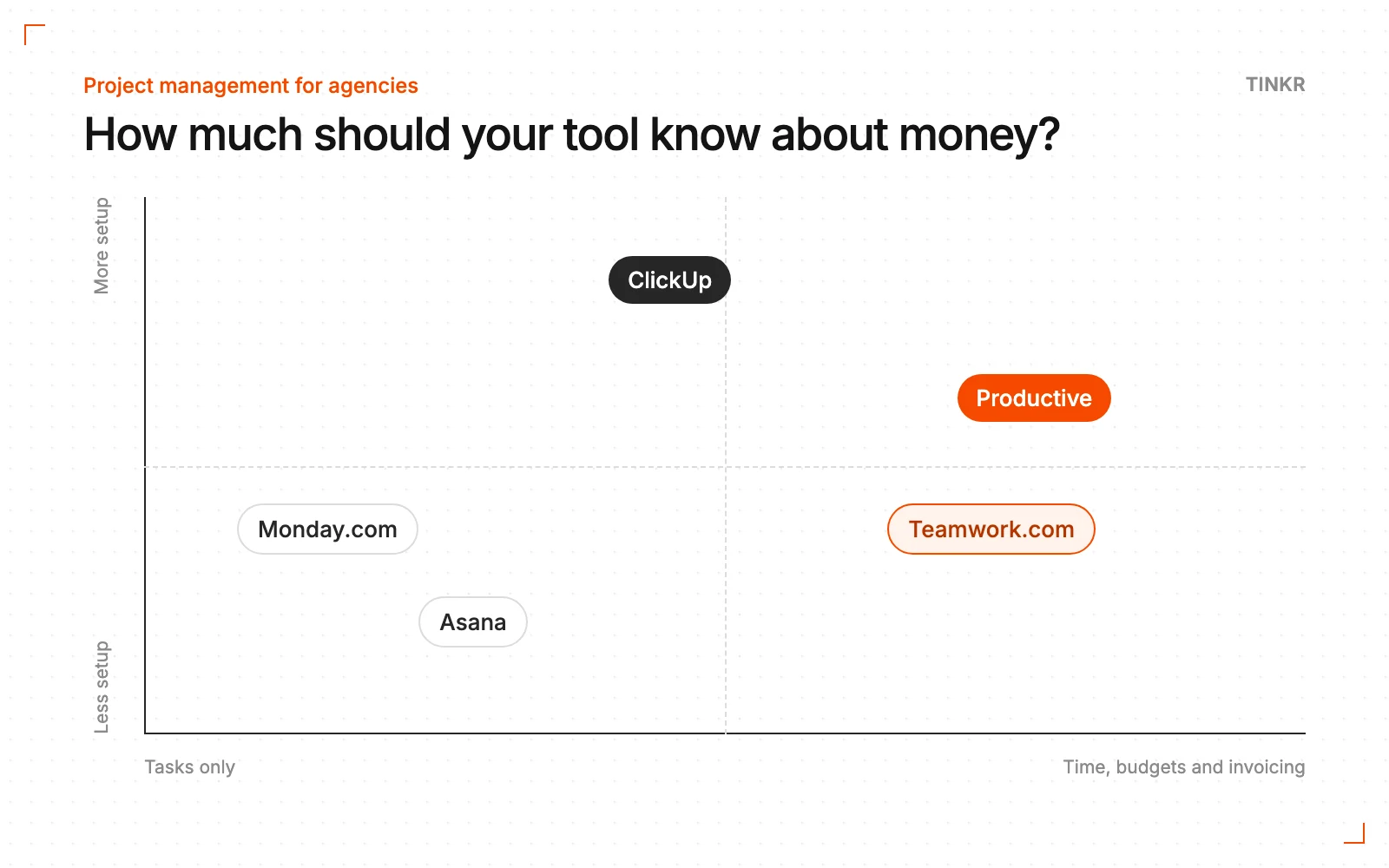
When to pick an agency-specific tool
Pick Productive or Teamwork when the main problem is that nobody can see whether projects make money until the month is closed. At Square Studio we made Productive.io the hub for projects, CRM and invoicing, with leads captured automatically and invoices generated and filed on their own, which freed more than 50 hours a month and gave the founder capacity to take on more clients.
The trade-off is change: these tools want to run more of the agency, so moving onto one is a bigger project than adding a task board.
When to stay general
Stay with ClickUp, Monday.com or Asana when time and invoicing already work elsewhere and the pain is in how work moves: handoffs, approvals, status. Connecting the tool to your time and finance systems is usually faster than replacing everything. That's what we did at Bandit Studio: Monday.com stayed, and we joined it with the finance data into one view.
If you're choosing between the two most common options, here's ClickUp vs Monday.com for agencies.
Before you switch anything
- 1Write down your process first. The stages a project goes through, who approves what, what counts as done.
- 2List where data gets typed twice. That list is your real requirement.
- 3Trial with one live project, not a demo workspace.
- 4Plan the migration as a project, with an owner and a date. Half-migrated is the worst state to be in.
If you'd like help choosing, our Blueprint maps how work and data move through your agency today and recommends what to keep, connect or replace.
— Paul
Want this looked at in your own company?
A free 30-minute call about how work, data and approvals move through your company today.